Veg, non-veg and allergen labels on your menu: an FSSAI-friendly guide
What India's FSSAI labelling and display rules expect from restaurant menus, which allergens to declare, and how to show them clearly on a digital menu.
· 3 min read · Tapstand team
Most Indian diners look for the green or brown symbol before they read the dish name. Allergens are catching up: more guests now ask about nuts, gluten or dairy, and a wrong answer can put someone in hospital. Labelling your menu properly is good service, and for many food businesses it is also part of FSSAI's display rules.
The veg and non-veg symbols
The Food Safety and Standards (Labelling and Display) Regulations, 2020 define the familiar marks: a green filled circle inside a green-outlined square for vegetarian food, and a brown filled triangle inside a brown-outlined square for non-vegetarian food. Many restaurants also use a separate marker for dishes containing egg, because some vegetarian guests eat egg and many do not.
- Put the marker right next to the dish name, not in a legend at the bottom.
- Mark every item, including drinks and desserts. Gelatine, egg wash and fish sauce hide in unexpected places.
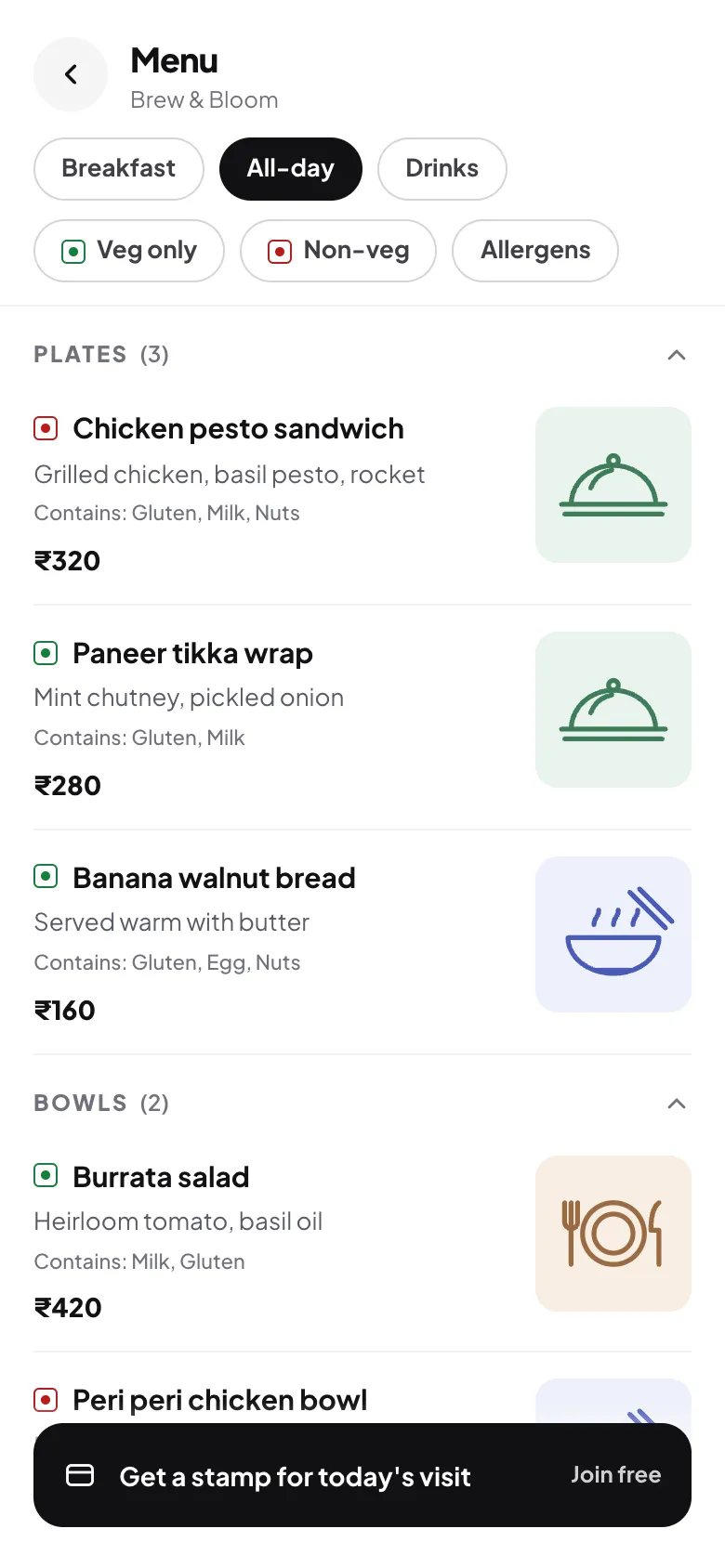
- Let guests filter: a "veg only" view saves a vegetarian table a lot of scrolling.
Which allergens to declare
FSSAI's list of allergens that must be declared covers:
- Cereals containing gluten (wheat, rye, barley, oats)
- Crustacean shellfish
- Milk and milk products
- Eggs
- Fish
- Peanuts and tree nuts
- Soybeans
- Sulphites at 10 mg/kg or more
Many menus go further and use the 14-allergen list common in Europe, which adds celery, mustard, sesame, lupin and molluscs. If your kitchen uses mustard oil or sesame heavily, flagging them costs nothing and helps guests who need it.
Showing labels on a digital menu
Paper menus run out of space quickly. A digital menu can show a short allergen line under each dish and give guests a filter to hide what they can't eat.
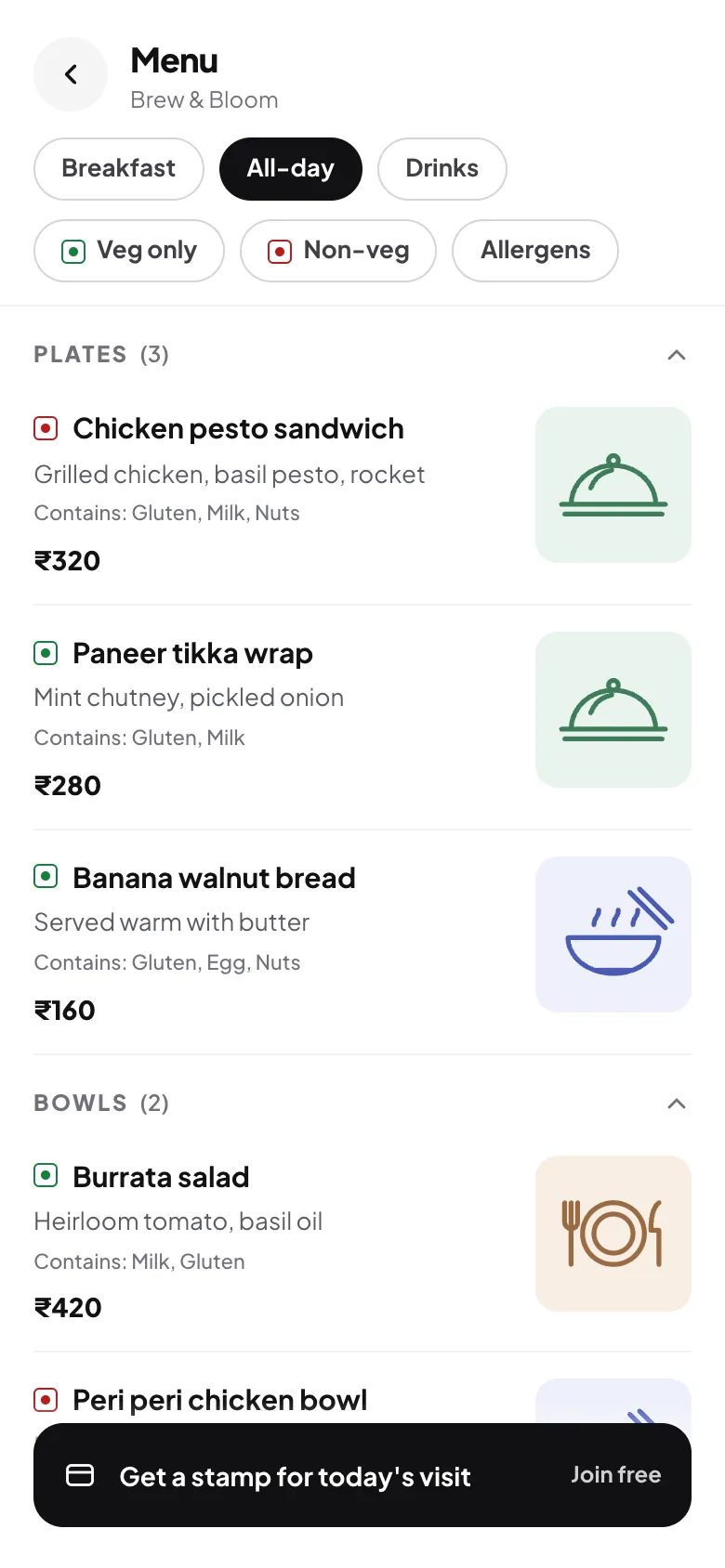
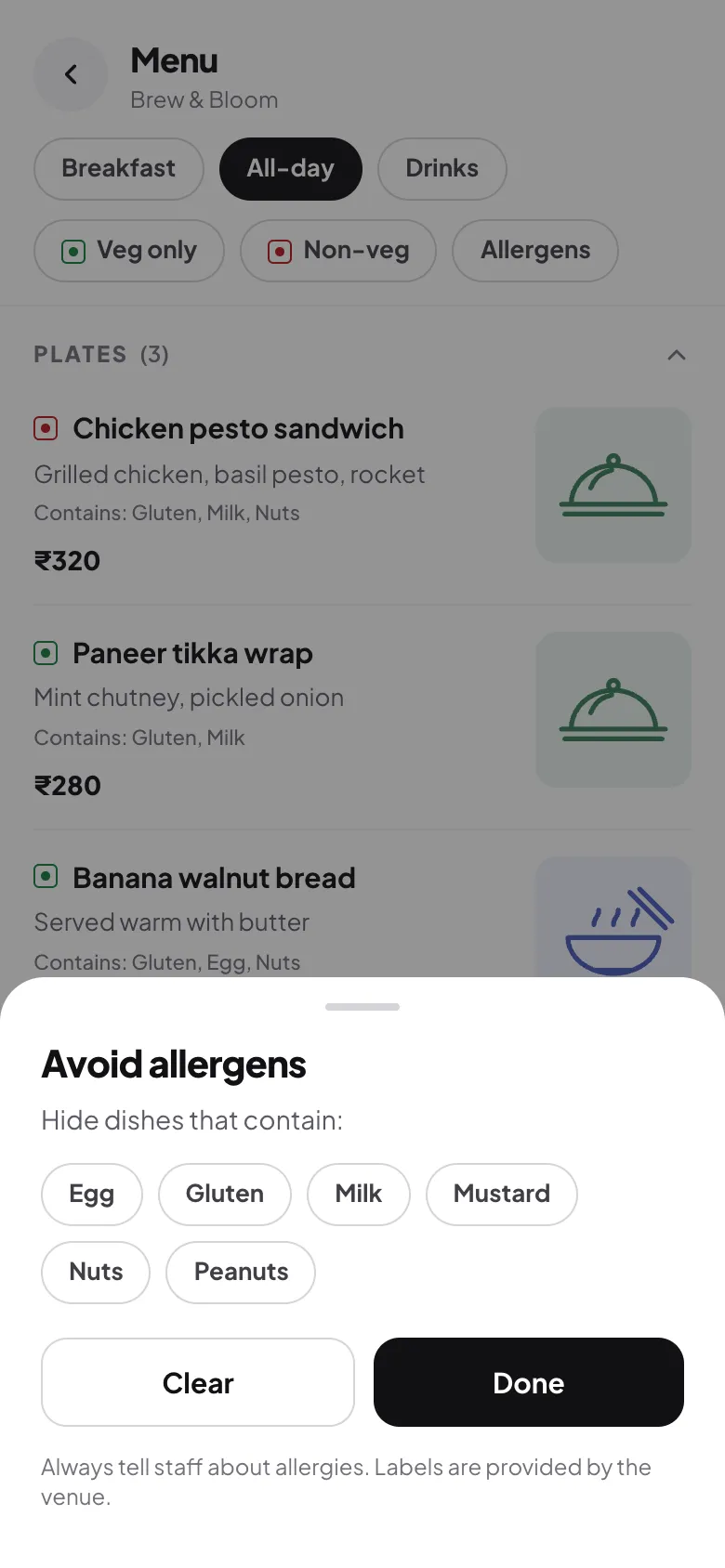
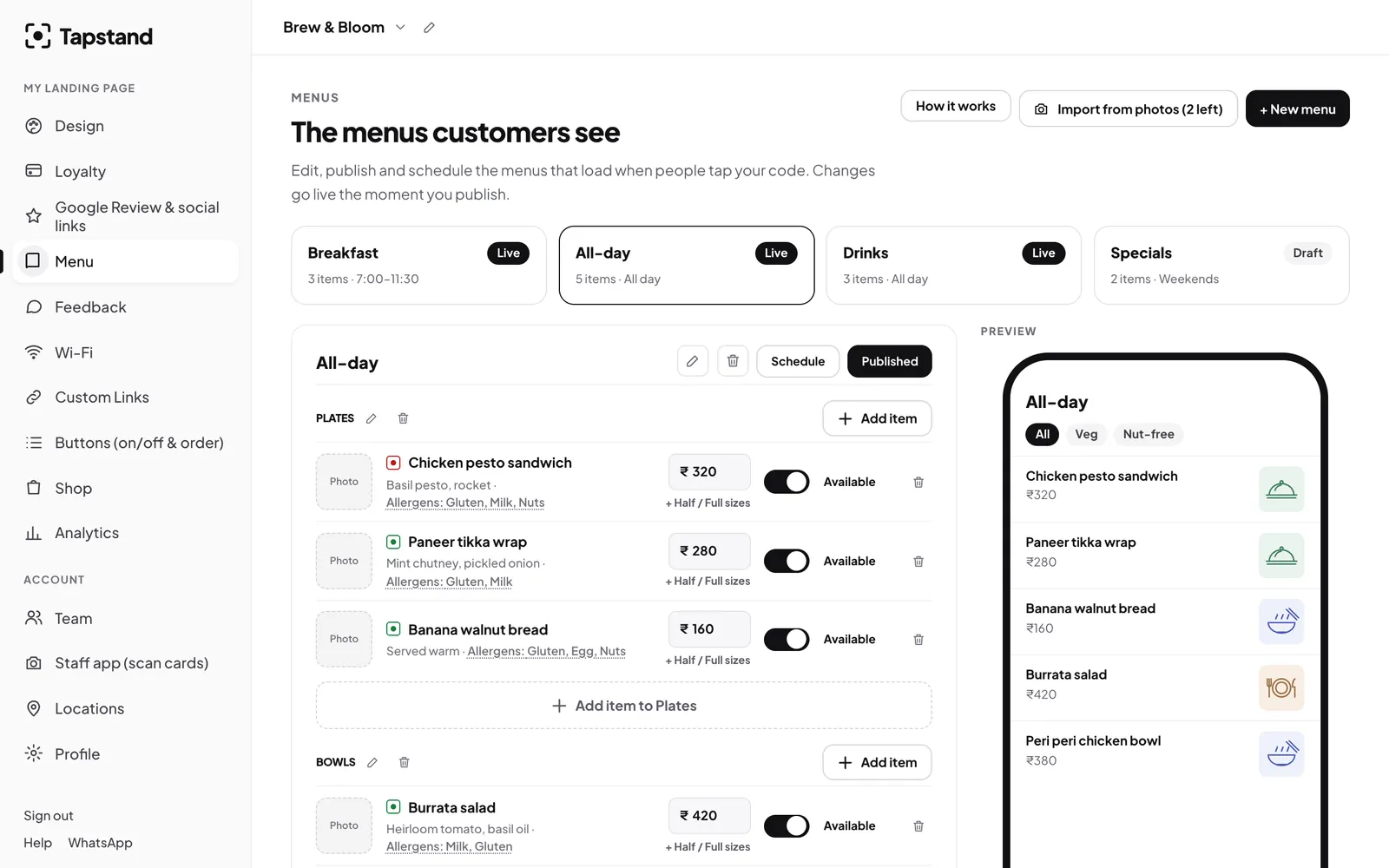
In Tapstand you pick allergens from a list when you add or edit an item, and choose veg, non-veg or egg. The customer menu then shows the markers, an allergen line and a filter automatically.
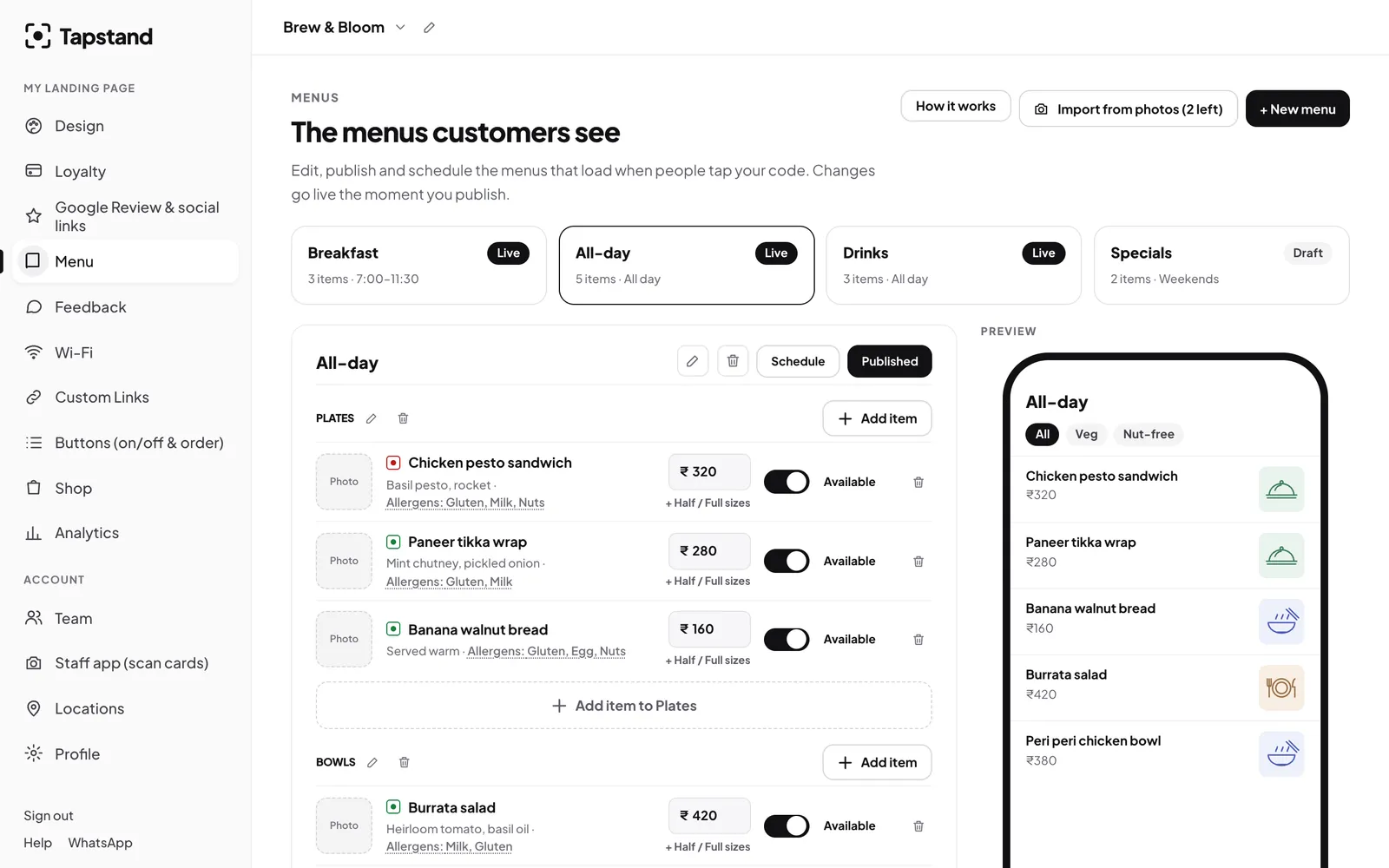
Keeping labels accurate
- Build labels from recipes, not memory. Walk through each recipe with the chef, including sauces, marinades and garnishes.
- Re-check when a supplier changes. A new bread or a different sauce brand can add soy or sesame.
- Mind cross-contact. If a fryer is shared with prawns, say so for items cooked in it.
- Train staff to say "let me check" rather than guessing. Your allergen note should say the same.
- Update the menu the same day a recipe changes. That's much easier when the menu is digital and editable from your phone.
Frequently asked questions
Is the egg symbol mandatory?
The FSSAI marks are for vegetarian and non-vegetarian food. Many restaurants add an egg marker because it is useful to guests; it does not replace the required symbols.
Do I need allergen labels on a digital menu too?
Treat your digital menu as your menu. If information is expected on a printed menu, it should be on the digital one as well.
Sources
Screenshots show Tapstand with a sample café and demo data.